Craft
Gearhead Confessions: Why I Risked a Double Firmware Fiasco Before My Africa Shoot
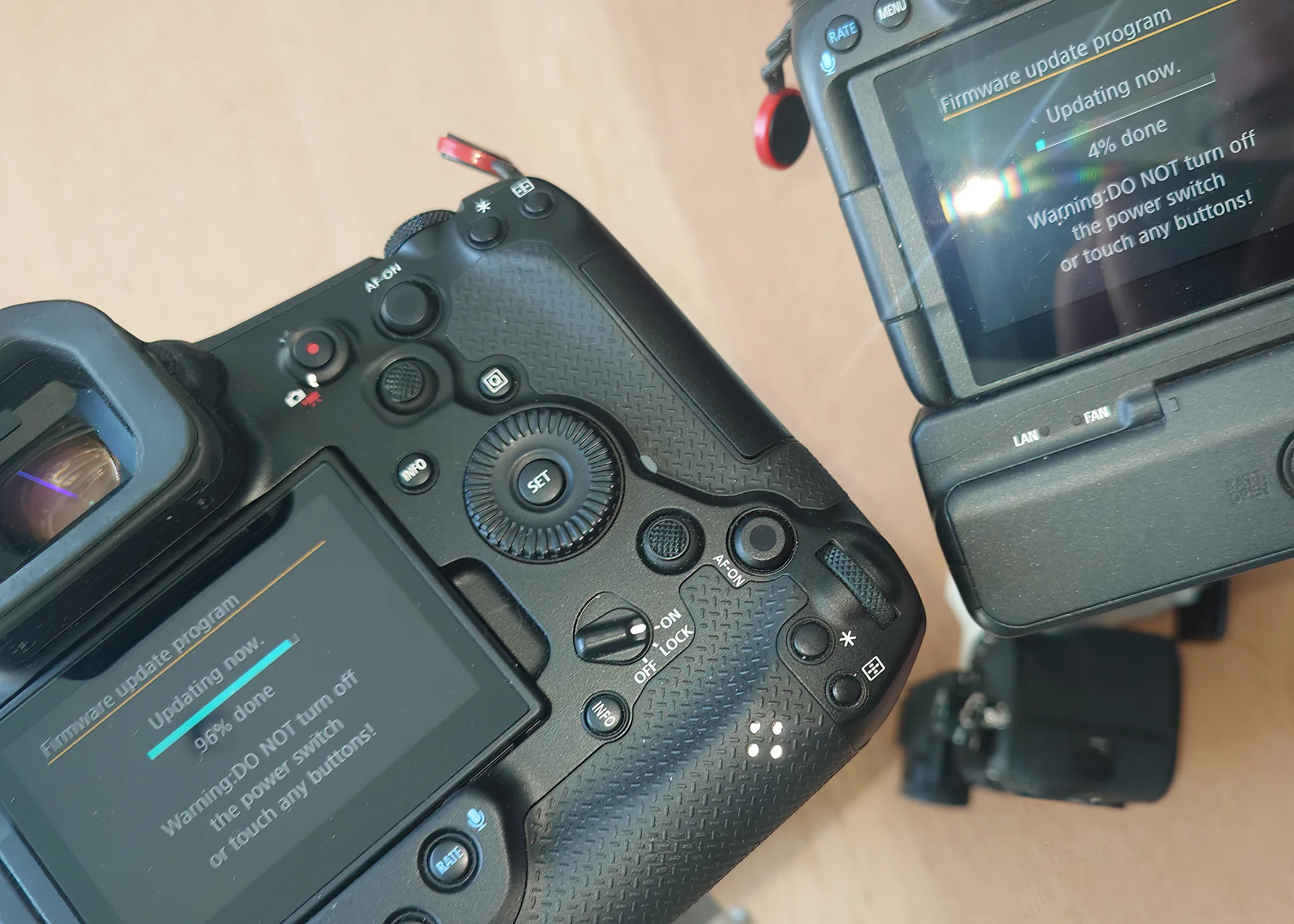
Alright, I’ll admit it: I’m a gearhead with zero self-control. Yesterday, Canon dropped firmware 1.1.2 for the R1 and 1.1.1 for the R5II, a shiny update that fixed some bugs after they yanked the last version for being a hot mess. Sensible me knows I’m heading to Africa soon for a wildlife shoot (lions, elephants, the whole circus) and the last thing I should do is mess with my cameras. But gearhead me? Oh, I couldn’t resist. I updated both my Canon R1 and R5II at the same time like some adrenaline-junkie tech bro tempting Murphy’s Law to brick my gear. Spoiler: I survived. Here’s the tale of my stupidity, why firmware updates are a love-hate vibe, and how to not screw yourself over before a big shoot.
The Firmware Itch: Why I Couldn’t Wait
Canon’s firmware 1.1.2 isn’t exactly earth-shattering: some autofocus tweaks, bug fixes, etc. Nothing screamed “update now or miss the shot of a lifetime.” But as a wildlife photographer who loves the latest and greatest, Canon pulled the last update due to a bug. My brain screamed, “Don’t do it! You’re flying to Africa in days!” My heart, meanwhile, was already clicking “Download” on Canon’s site. Gearheads, you get it: the promise of “optimized performance” is catnip.
The Dumbest Move: Double Update, No Backup
This is where I deserve a facepalm. Instead of updating one camera, testing it, and playing it safe, I went full chaos mode and updated both the R1 and R5II simultaneously. Murphy’s Law was practically licking its lips: if both updates failed, I’d be in Africa with two bricked cameras, shooting zebras with my Android (or in reality my Sony). The R1’s my action beast for fast-moving wildlife; the R5II’s my high-res champ. Losing both would’ve been a disaster.
Thankfully, the updates went smooth: 30 minutes of nail-biting progress bars, and both cameras are purring like kittens. But let’s talk about why this was a terrible idea and how you can avoid my brand of stupidity.
Firmware Updates: Do You Really Need Them?
Firmware updates can be lifesavers: think sharper autofocus for that leopard in low light or better battery life for a full day in the bush. But they’re also a gamble, especially before a big trip. Canon’s 1.1.2 fixes minor glitches, but unless your camera’s acting up. Sure I had quite a few of these Err70, pull the battery and your back online, there’s no rush. My Africa shoots demand reliability, and a botched update could’ve cost me shots I’ve planned for months. So why did I do it? Because I’m a gearhead who dreams in firmware changelogs. Don’t be me.
My hard-earned advice for updating without regrets:
- Check the Changelog: If the update doesn’t fix something you need (e.g., serious bugs, autofocus for fast wildlife), skip it until you’re back from your shoot.
- Update One at a Time: Don’t tempt fate like I did. Test one camera, shoot with it, then update the other.
- Backup Settings: Save your custom settings to a card. If the update resets your camera, you won’t cry over lost presets.
- Charge Up: Fully charge batteries and keep your camera plugged in during the update. A dead battery mid-update is a one-way ticket to Brick City.
- Test Post-Update: Shoot some test frames (I used my dog’s epic yawn) to ensure autofocus, exposure, and video modes are behaving.
Back to Africa, Hopefully Smarter
With my R1 and R5II now rocking firmware 1.1.2/1.1.1, I’m ready to chase Africa’s wild moments: wide-angle savanna vistas, telephoto lion stares, the works. Did I need the update? Probably not. Did my gearhead heart demand it? Absolutely. Will I ever update two cameras at once again? Let’s not talk about it.
So, fellow gearheads, what’s your dumbest pre-shoot tech move? Drop it in the comments; I need to know I’m not alone in this madness. And if you’re eyeing that Canon update, maybe wait until you’re not staring down a safari. Happy shooting!